
Reaction speed
Thank you for installing
Reaction Time Test!
Pin the extension once, then open the reaction test from your Chrome toolbar whenever you need it.
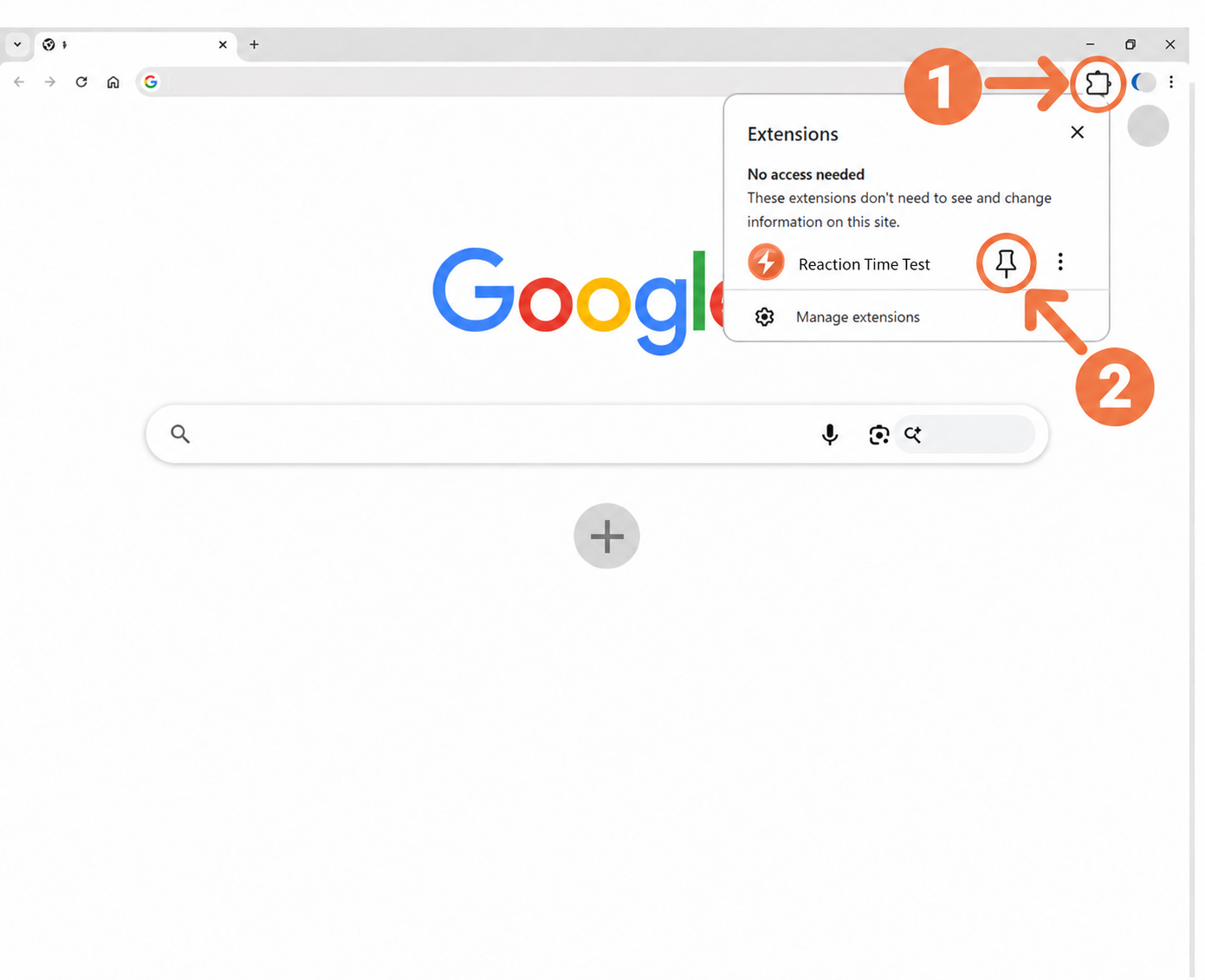
1–2Pin Reaction Time Test
Click the Extensions icon (Step 1) in the upper-right corner of Chrome, then click the pin icon (Step 2) next to Reaction Time Test.
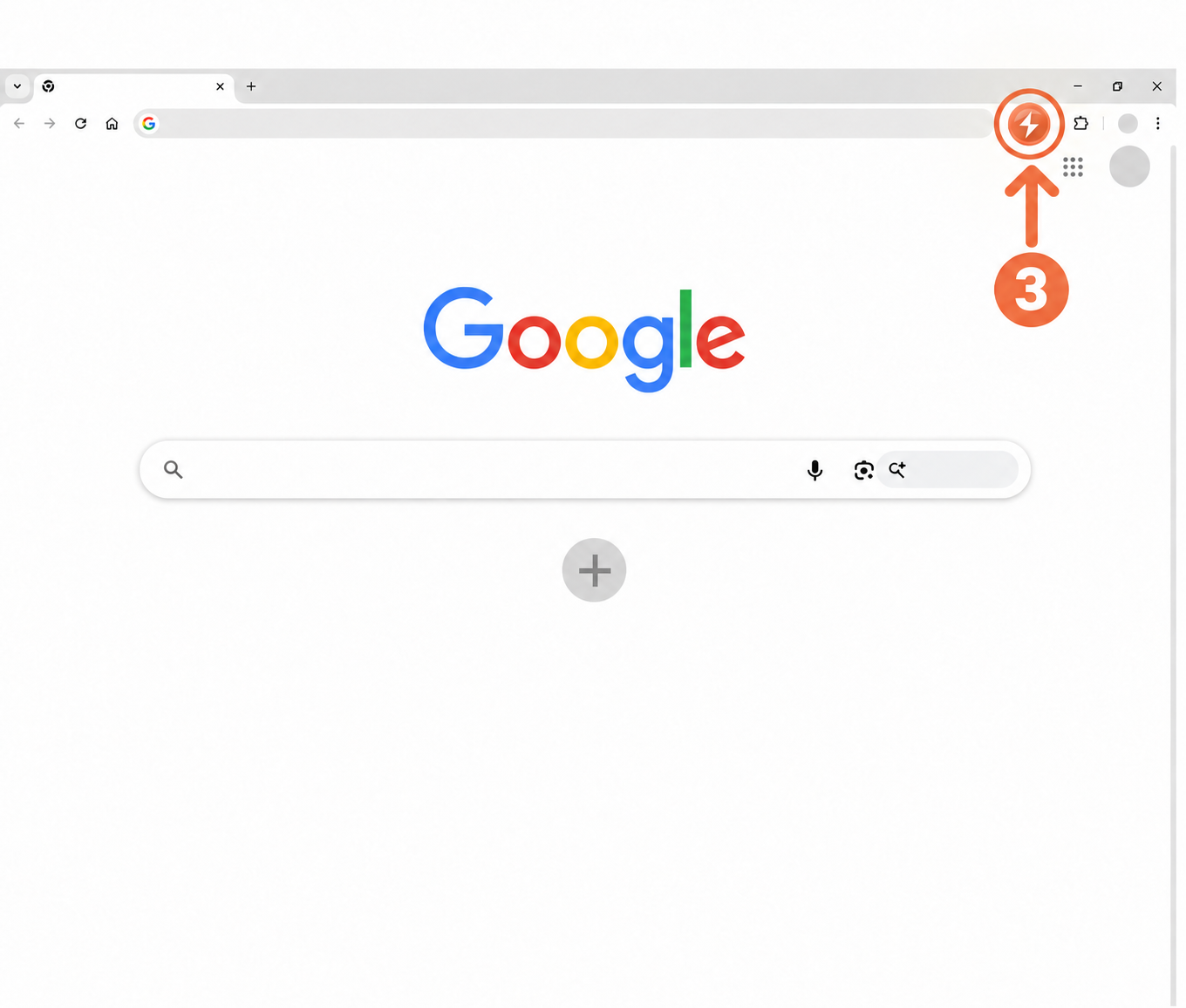
3Open the test
Click the Reaction Time Test icon (Step 3) in the toolbar to start a new test.
Ready to test your reaction?
Complete five attempts and compare your median, average, and fastest result.
Start Reaction Time Test No account needed. Results stay on your device.